Accessing employment and provident fund information online can save time and help employees keep track of their records. However, searching for UAN login can be confusing because the abbreviation has different meanings in different countries. Understanding which service you need is the first step toward finding the correct login page.
For employees in India, the Universal Account Number connects eligible provident fund member accounts associated with different periods of employment. It helps employees maintain continuity when they change jobs and provides access to supported EPFO online services.
In Pakistan, UAN usually refers to a Universal Access Number that allows customers to contact a business or institution through a published telephone number. It does not automatically mean that the organization offers a UAN-based online login.
This distinction matters because entering personal information on the wrong website can expose your details to unnecessary risks. The following sections explain the EPFO login process, account activation, password recovery, common login errors, and account security. Each section focuses on a specific task so readers can find the information they need without navigating repetitive explanations.
Quick Answer: What Is UAN Login?
UAN login usually refers to accessing an online account associated with a Universal Account Number. In India, UAN stands for Universal Account Number and is used by the Employees’ Provident Fund Organisation (EPFO) to help employees manage their provident fund records. In Pakistan, UAN commonly means Universal Access Number, a telephone number businesses use for customer support.
If you want to access an Indian EPFO account, you generally need your UAN, password, and any verification details requested by the official service. If you are searching for UAN login in Pakistan, first identify the organization because its UAN telephone number may not be connected to an online account.
This guide focuses primarily on the Indian EPFO Universal Account Number login process. It explains how to access your account, activate your UAN, retrieve your number, reset a forgotten password, troubleshoot common errors, and protect your information. A separate section explains the meaning of UAN in Pakistan.
How to Log In to Your UAN Account Online
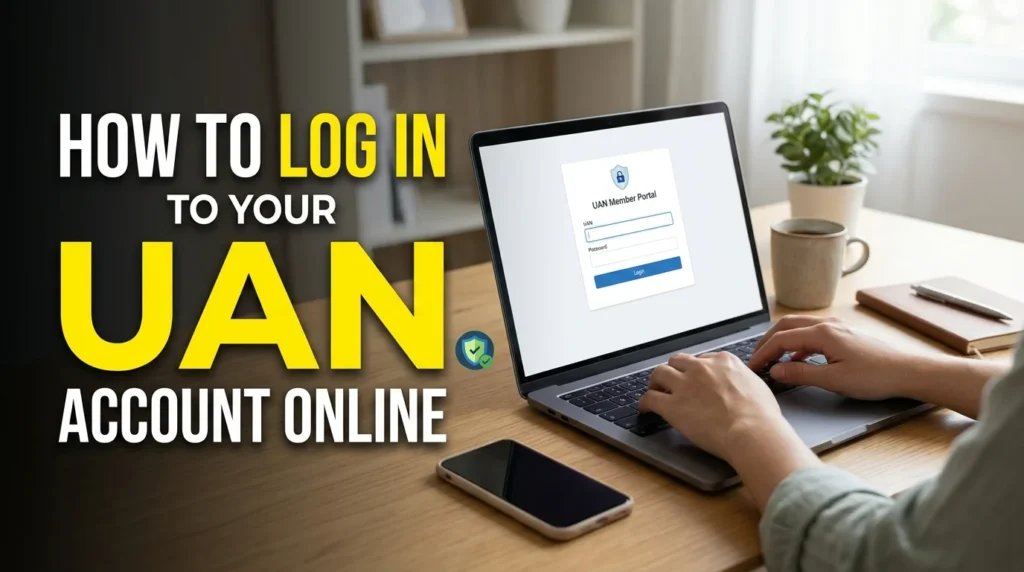
The official EPFO member portal provides access to supported employee provident fund services. Before signing in, make sure you are using the member login rather than an employer or administrative portal.
Follow these steps for a standard UAN account login:
- Open the official EPFO member portal.
- Find the member login section.
- Enter your 12-digit UAN in the UAN field.
- Type your account password carefully.
- Complete the captcha or other verification displayed on the page.
- Select the sign-in option.
- If authentication succeeds, open the service you want to use.
The portal may change its layout or security requirements, so follow the instructions currently displayed on the website.
If you cannot sign in, check the UAN, password, and captcha before trying again. If you have never activated your account, follow the current activation instructions rather than repeatedly attempting to log in.
What Information Do You Need for UAN Login?
Preparing the correct information before starting can make the login process easier.
Your Universal Account Number
Your UAN is a 12-digit number associated with your EPFO membership. Keep it available and enter it accurately.
If you have changed employers, check your existing employment records before assuming that you need a new UAN.
Your Password
Your password protects your account. Enter the password associated with your UAN, paying attention to uppercase and lowercase letters and any special characters.
If you have forgotten it, use the official password recovery facility.
Verification Information
Depending on the service, you may need to complete a captcha, receive an OTP, or verify your identity through another supported method.
Keep access to your registered mobile number where required. If your number has changed, follow the official procedure for resolving the issue.
Correct Employment Details
Certain services depend on accurate employment and identity records. If your information does not match the details maintained by EPFO, you may need to correct the discrepancy before completing a transaction.
Do not share your password, OTP, or sensitive identity details with unofficial agents who claim they can solve the problem for you.
How to Activate a UAN Account Online
If you have received a UAN but have not activated it, you may need to complete activation before accessing member services.
Important: EPFO’s current member portal states that UAN activation and new UAN allotment through the portal have been discontinued. The supported route is through the UMANG application using Aadhaar-based face authentication.
The general process is as follows:
- Install the official UMANG application from a trusted app store.
- Open the application and select EPFO services.
- Find the UAN services offered through face authentication.
- Choose the appropriate option for activating an existing UAN or allotting and activating a new one.
- Follow the instructions to enter the required Aadhaar and mobile information.
- Complete OTP verification and face authentication when requested.
- Follow the application’s instructions to finish the process.
The exact requirements depend on the service you select. You may need a valid Aadhaar number, access to the Aadhaar-linked mobile number, and the required face-authentication component.
If the application reports that your Aadhaar is already linked to a UAN, do not try to create a duplicate number. Follow the instructions for accessing or activating the existing one.
For help with EPFO services, the official member portal currently lists the EPFO helpdesk number as 14470.
How to Find Your UAN Number
If you have forgotten your UAN, you may be able to retrieve it through the official EPFO service.
Use the Know Your UAN Facility
The EPFO member portal provides a Know Your UAN facility. Where available, it can help you retrieve your number using information associated with your membership.
Open the official member portal and locate the relevant facility. Follow the current instructions and provide the requested details, which may include information such as your name, date of birth, or membership information.
If the system requires OTP verification, enter the code only on the official service.
Ask Your Employer
Your employer’s human resources or payroll department may be able to confirm your UAN. This can be particularly useful if you recently joined a company or cannot access your older employment records.
If you have changed jobs, provide your existing UAN to the new employer when requested so your new provident fund membership can be linked appropriately.
Check Your Employment Records
Review your previous employment documents and provident fund communications. These may contain your UAN or details that help you identify the correct member account.
Avoid requesting a second UAN simply because you cannot locate your original number. If a duplicate has already been created, contact the employer or EPFO through the recognized process.
How to Reset a Forgotten UAN Password
A forgotten password is a common reason for failed UAN login attempts. The appropriate recovery method depends on the current portal and your access to the registered mobile number.
To begin, open the official EPFO member portal and look for the password recovery option.
Follow the displayed instructions to enter your UAN and complete any required verification. If the service sends an OTP to your registered mobile number, enter the code on the official page.
After your identity has been verified, follow the instructions to set a new password.
Choose a password that is difficult to guess and that you do not use for other accounts. Avoid including easily identifiable information such as your name or date of birth.
What If Your Registered Mobile Number Has Changed?
If you no longer use the mobile number associated with your UAN, check whether the official recovery process offers an alternative verification method.
You may be asked to provide additional information to confirm your identity. Follow the instructions carefully and ensure that the details match your official records.
If you cannot complete the recovery process, contact EPFO through its recognized support channels. Never pay an unknown person who promises to recover your account without verification.
UAN Login Problems and Their Solutions
A failed login does not always mean that your account has a serious problem. The cause may be an incorrect password, incomplete activation, failed verification, or temporary technical issue.
The following table explains common UAN login problems and the steps you can take to resolve them.
| Login problem | Possible solution |
| Invalid UAN | Check all 12 digits and confirm that you are using your own UAN. |
| Incorrect password | Check for typing errors or use the official password recovery process. |
| Account not activated | Follow the current UAN activation procedure through UMANG. |
| OTP not received | Check your registered mobile number and network connection. |
| Captcha error | Refresh the captcha if possible and enter the new characters carefully. |
| Website not loading | Check your internet connection and try again later. |
| Personal details do not match | Compare your information with official records and follow the correction process. |
| Account recovery fails | Follow the official support procedure rather than using an unofficial recovery service. |
Why Does the UAN Portal Show Invalid Credentials?
An invalid credentials message generally means that the information entered does not match what the system expects.
First, confirm that you have entered the correct UAN and password. Check for missing digits, accidental spaces, and incorrect characters. Make sure you are using the member login page rather than a different portal.
If the problem continues, use the official recovery option. Repeatedly entering incorrect details may result in temporary restrictions, depending on the system’s security controls.
What Should You Do If OTP Verification Fails?
OTP verification can fail if a message is delayed, the registered number is incorrect, or the service is temporarily unavailable.
Check your mobile connection and wait for the permitted period before requesting another code. If the OTP expires, request a new one using the official service.
If you no longer have access to the registered number, follow the available account recovery procedure. Do not try to bypass verification or ask another person to complete authentication using your credentials.
What If the Website Is Temporarily Unavailable?
Online services may occasionally experience maintenance or technical problems. If the portal does not load, check your internet connection and try again after a reasonable interval.
You can also use an updated browser or another trusted device. Avoid entering your details on an unfamiliar website simply because the official portal is unavailable.
If the problem continues, check for an official service announcement or contact the relevant helpdesk.
What Can You Do After UAN Login?
After successfully signing in, eligible EPFO members may access several employment-related services. The facilities available to you depend on your account, eligibility, and the current rules.
Check Your Provident Fund Information
Your account may provide access to information about your provident fund membership and contributions.
Review the available records to understand your account history. If information appears missing or incorrect, check whether your employer has submitted the relevant details and follow the appropriate correction procedure.
View or Download Your PF Passbook
The EPFO provides a separate member passbook service for eligible users. You can use the relevant official service to view available provident fund records and download a passbook where supported.
The passbook can help you review contribution entries associated with your employment. However, availability may depend on your establishment and account circumstances.
Review Your Linked Member IDs
If you have worked for different employers, your UAN may be linked to multiple provident fund member IDs.
Reviewing these records can help you identify whether your employment history has been connected correctly. If a previous membership is missing, check the relevant records and seek assistance through the official process.
Submit Eligible Claims or Transfer Requests
Depending on your eligibility and the applicable requirements, supported online services may allow you to submit or track provident fund claims and transfer requests.
Before submitting an application, confirm that your personal details, employment records, and other required information are correct.
Submitting a request does not guarantee approval. The organization must process it according to the relevant rules.
Update Eligible Personal Information
Some personal details may be updated through supported online procedures. Important changes can require additional documents, identity verification, or employer approval.
Read the instructions carefully and review your information before submitting a request.
Difference Between UAN and PF Account Number
The Universal Account Number and a provident fund member ID are related, but they are not the same.
| Feature | UAN | PF Member ID |
| Meaning | Universal Account Number | Provident fund membership identifier |
| Main purpose | Connects eligible employee PF records | Identifies a particular PF membership |
| Job changes | Generally remains the same | May change when employment changes |
| Multiple records | Can be associated with several member IDs | Usually relates to a particular membership |
| Use | Accessing supported member services | Identifying a specific provident fund account |
For example, an employee may have one UAN and separate member IDs associated with two different employers. The UAN helps connect the records, while each member ID identifies a particular membership.
Understanding the distinction can prevent mistakes when completing forms or using the UAN login portal.
UAN Login for Employees Who Change Jobs
Changing employers is one of the situations in which a UAN becomes especially useful.
Generally, employees keep their existing UAN when they change jobs. The new employer can associate the new employment-related provident fund membership with that number through the applicable process.
For example, suppose you worked for Company A for three years before joining Company B. You may have one PF member ID associated with your first job and another associated with your second job. Both can be linked to your existing UAN.
After changing jobs, check that your employment details are accurate and that the relevant records appear correctly. If a previous account is missing, contact your employer or EPFO for guidance.
If you have been assigned two UANs, do not assume that both should remain in use. Follow the recognized procedure to resolve the duplicate records.
UAN Login in Pakistan: Understanding Universal Access Numbers
In Pakistan, UAN usually stands for Universal Access Number, a telephone number that organizations publish for customer enquiries.
This meaning is different from the Indian Universal Account Number used by EPFO. A Pakistani telephone UAN is not automatically a username, password, or online account number.
If you are searching for UAN login in Pakistan, identify the organization and the service you want to access.
For example:
- Banking: Use the bank’s official internet banking service or mobile application.
- Employment: Check whether your employer provides an employee portal.
- Education: Look for the institution’s official student or faculty login.
- Customer support: Use the company’s published UAN to contact its support team.
- Government services: Identify the responsible department and its official digital platform.
A business may use one UAN for telephone enquiries and a completely separate website for online accounts. Therefore, do not assume that entering a telephone number into a login field will provide access.
If your goal is to access a particular Pakistani service, confirm its name before entering personal information.
How to Use UAN Login on a Mobile Phone
UAN login on mobile allows eligible users to access supported services through a smartphone. Mobile access can be convenient when you want to review account details, recover credentials, or complete a verification step.
For EPFO services, use the official member portal through your mobile browser or the official UMANG application for supported services.
Follow these practical tips:
- Use an updated browser or official application.
- Check the website address before entering your credentials.
- Keep your phone protected with a screen lock.
- Avoid saving your password on a shared device.
- Sign out when you finish using a device that other people can access.
- Never share your password or OTP with another person.
Some services may require you to use a specific application or authentication method. If a feature is unavailable on mobile, check the current official instructions for another supported way to access it.
Is UAN Login Free?
Using the standard EPFO member login through the official portal does not generally require paying a private agent simply to access your account.
However, individual services may have specific conditions, so check the requirements for the task you want to complete.
Be cautious if someone demands money to reveal your UAN, reset your password, or guarantee approval of a provident fund claim. EPFO warns members against sharing sensitive information or making payments in response to fraudulent calls and messages.
In Pakistan, the cost of calling a Universal Access Number may depend on the organization and your telecommunications provider. The cost of a telephone call is separate from whether the organization offers a free online account.
How to Keep Your UAN Account Secure
Protecting your account is important because it may contain personal, employment-related, and financial information.
Use only the official login service and check the website address before entering your credentials. Create a strong password that you do not reuse for other accounts.
Never share your password or OTP with an unknown caller, message sender, or unofficial agent. Be especially cautious of people who promise instant activation, guaranteed claim approval, or immediate account recovery in exchange for payment.
When using a shared computer, do not save your credentials, and sign out completely after completing your work.
Keep your device and browser updated. If you suspect unauthorized access, follow the official account recovery and security instructions as soon as possible.
These precautions can help you avoid common security risks while accessing online services.
Frequently Asked Questions About UAN Login
1. What is UAN login?
UAN login usually refers to accessing an online account associated with a Universal Account Number. In India, it commonly relates to EPFO provident fund services. In Pakistan, UAN usually means Universal Access Number, a telephone service used by businesses and organizations.
2. How do I log in to my UAN account online?
For an Indian EPFO account, open the official member portal, enter your UAN and password, complete the displayed security verification, and select the sign-in option. If you have not activated your account, follow the current activation procedure.
3. How can I reset my UAN login password?
Open the official EPFO member portal and select the password recovery option. Enter your UAN and complete the required verification. Follow the instructions to create a new password. If your registered mobile number has changed, use the official recovery process.
4. How do I activate my UAN online?
EPFO currently directs members to use the UMANG application for UAN activation through Aadhaar-based face authentication. Select the appropriate UAN service and follow the instructions displayed in the application.
5. How can I find my UAN number if I forgot it?
You can check your employment records, ask your employer, or use the official EPFO Know Your UAN facility when available. Complete any required identity verification through the official service.
6. Why is my UAN login not working?
Common causes include an incorrect UAN, an incorrect password, incomplete account activation, failed verification, or temporary technical problems. Check your credentials first, then use the official recovery or support process if necessary.
7. Can I use UAN login in Pakistan?
You can access an online service from Pakistan if the provider permits access and you meet its requirements. However, a Pakistani Universal Access Number is usually a telephone number, not an online login credential.
8. What is the difference between UAN and a PF member ID?
A UAN identifies an employee across eligible linked provident fund records. A PF member ID identifies a particular membership. One UAN can be associated with multiple member IDs when an employee has worked for different employers.
9. Can I use the same UAN after changing jobs?
Generally, yes. Employees retain their existing UAN when changing employers. The new employment-related PF membership can be linked to that number through the applicable process.
10. Can I access my UAN account on my phone?
Yes. Eligible members can use the official EPFO member portal through a mobile browser and access supported services through UMANG. The available features depend on the service and its current requirements.
11. Is UAN login safe?
UAN login can be safe when you use the genuine service, protect your password, and complete verification through official channels. Never share your OTP or password with an unknown person.
Conclusion
UAN login helps eligible users access online services, but the correct process depends on the meaning of UAN. In India, the Universal Account Number connects eligible provident fund records and helps employees manage their EPFO membership across different jobs. Members can use the supported services to review account information, access their passbook where available, and complete eligible requests.
To sign in successfully, use the official member portal, enter the correct credentials, and complete any required verification. If you have forgotten your password or have not activated your account, follow the current official recovery or activation procedure.

Olivia Bennett is a passionate English grammar writer at GrammBoost.com who loves making grammar simple and easy to understand. She specializes in spelling, word differences, punctuation, and everyday English usage. Through clear explanations and practical examples, Olivia helps students, writers, and professionals write with greater confidence and accuracy.